

Workflow
Manage Alerts from All Sources in Slack
Centralize and manage multiple alerts on Slack effortlessly with Pagerly. Streamline your notification system for better incident management.
Automatically Assign Alerts & Notifications Stream Alerts in a single Channel Create Dedicated Channels Create Tickets from Alerts in Jira, ZenDesk, HubSpot , PagerDuty etc
- 60%Reduction in alert count
- 80dev hours~80 dev hour per month per dev saved
- 30%Reduction in response time
Manage Multiple Alerts & Notifications
Streamline multiple alerts on multiple channels. Create Tickets and sync to ticketing tools, CRMs, etc.
Automatically Assign Tickets / Tasks
Assign Tasks/Tickets to current on rotation, round-robin, or randomly, or to specific user.

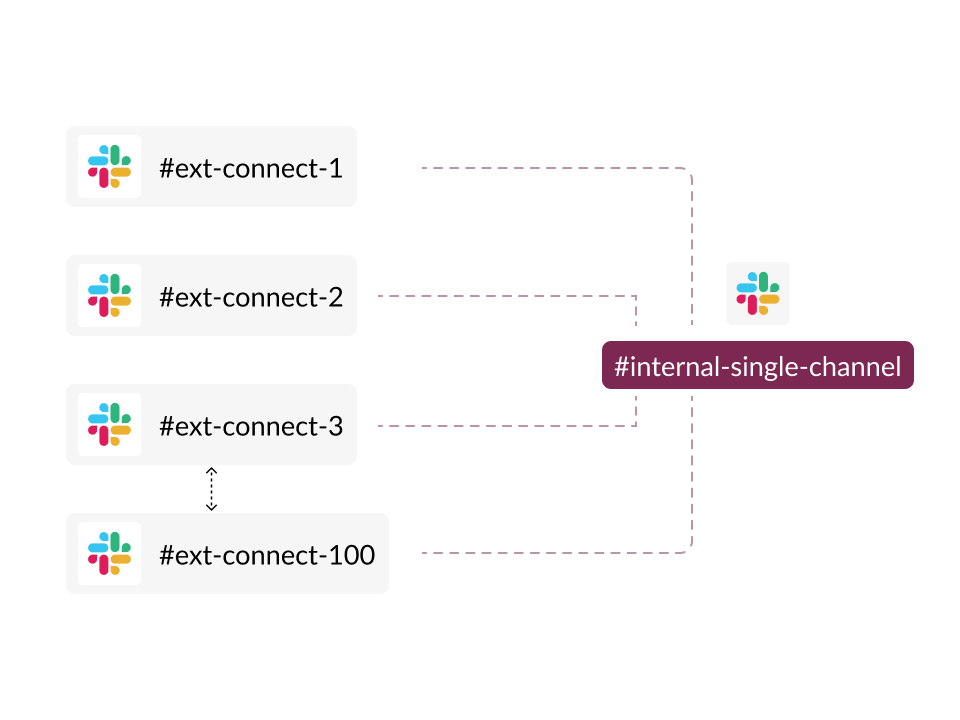
All Messages in Single Triage Channel
Streamline request handling in Slack by integrating multiple channels into one single queue.

Have 2 way deep sync with your Ticketing , Paging, CRM etc.
Bi-Sync messages to your preferred tool automatically. Transition tickets, users within Slack.

Convert Message to create Tickets
Automatic Ticket creation from Slack from anywhere on Slack Use Emojis to manually create Slack Channels Connect to Jira , HubSpot, Salesforce, Asana, PagerDuty or any other tool of your choice.

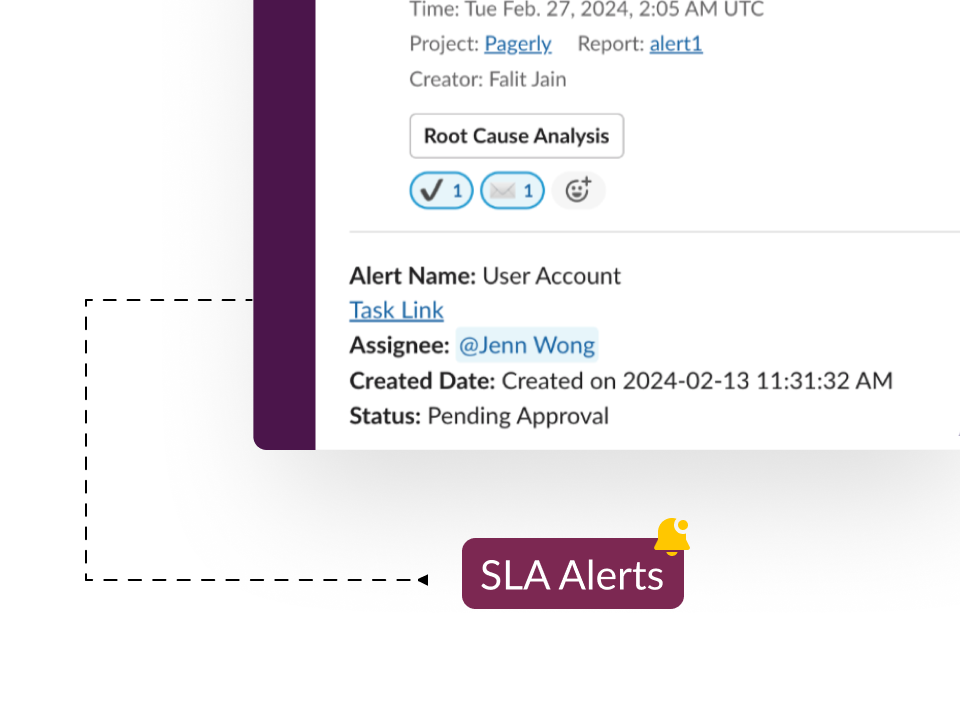
SLA Alerts on Slack
Get hold of your team with Tasks passing SLA or due date all within Slack.

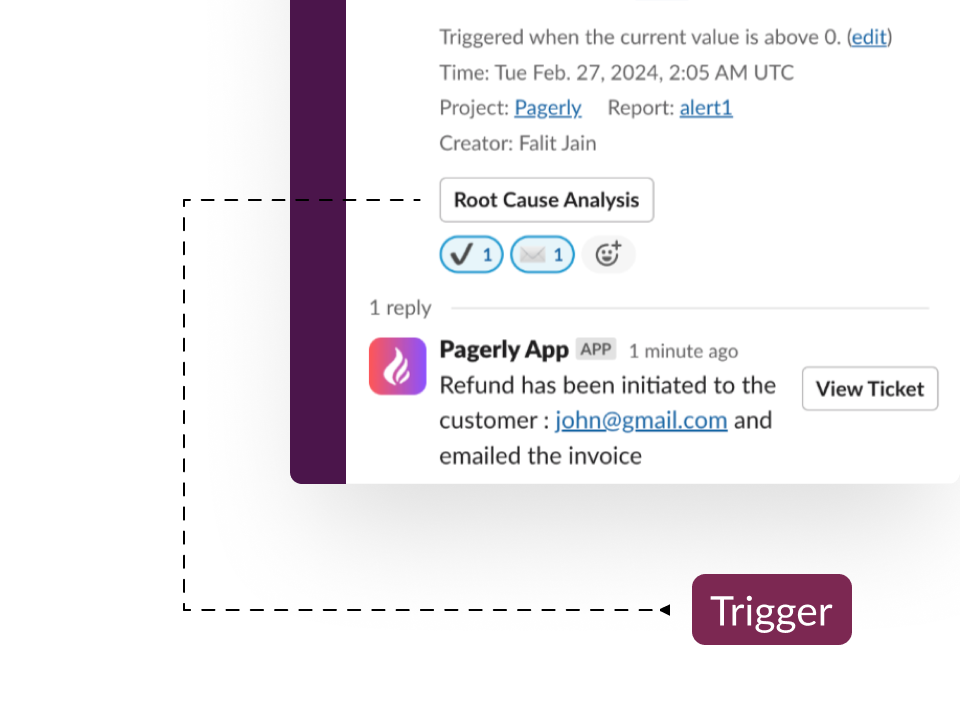
Use Custom Emojis
Want to send email ? Want to trigger an API? Trigger your workflows via Pagerly Use Emojis to Trigger Workflows within Slack

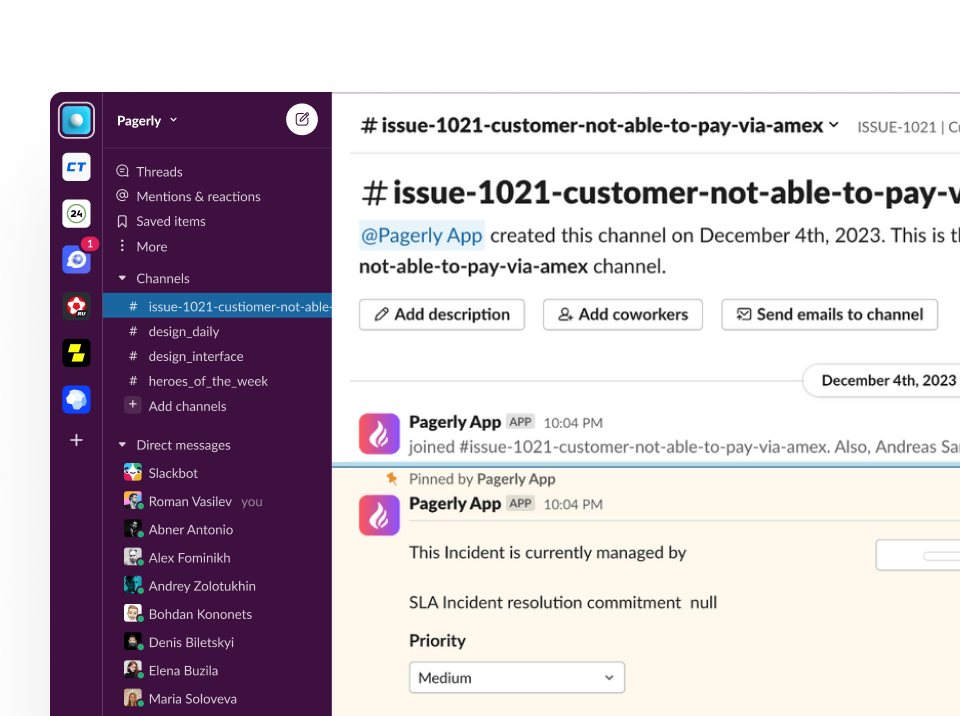
Create Channel for Tickets
Create dedicated channels for certain tickets. Sync Messages and Conversation to External Tool

How it works
Automatically Assign Tickets / Tasks
Assign Tasks/Tickets to current on rotation, round-robin, or randomly, or to specific user.
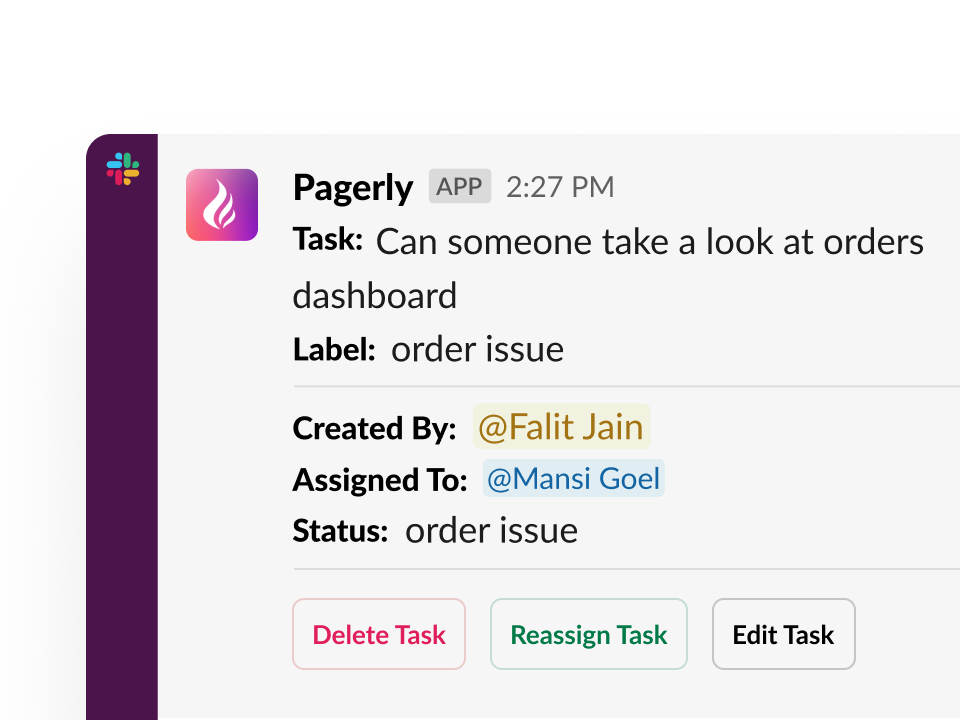
All Messages in Single Triage Channel
Streamline request handling in Slack by integrating multiple channels into one single queue.
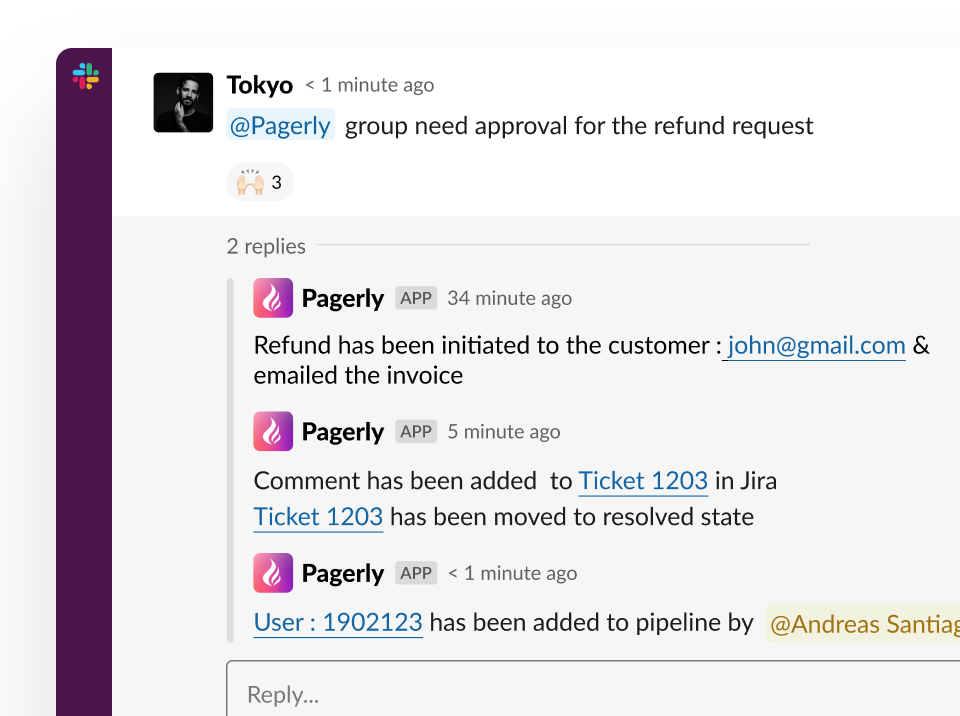
Have 2 way deep sync with your Ticketing , Paging, CRM etc.
Bi-Sync messages to your preferred tool automatically.Transition tickets, users within Slack.
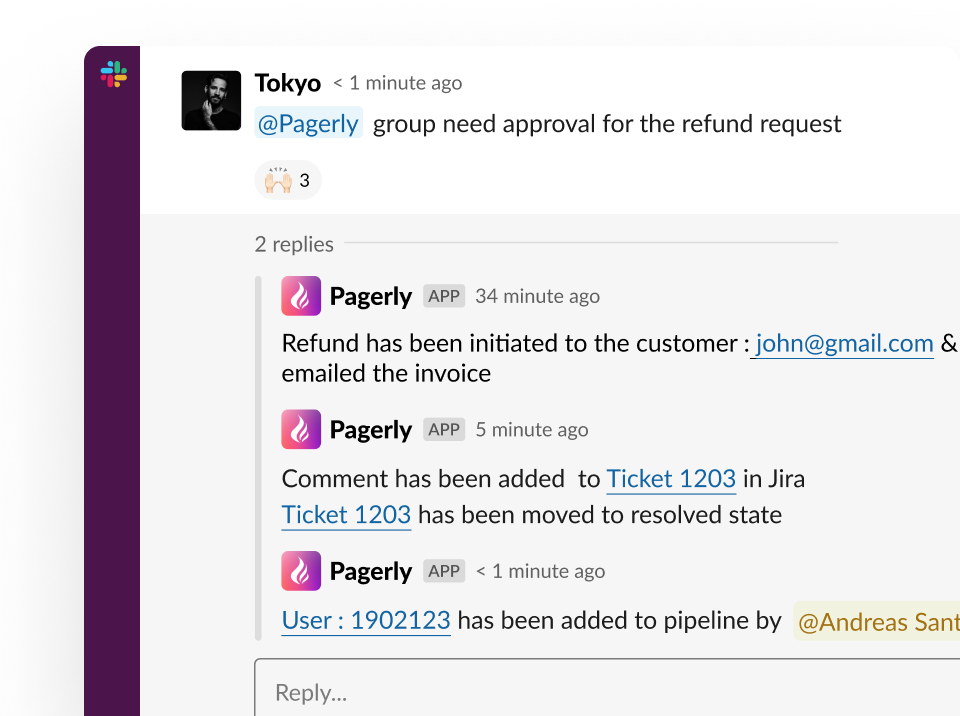
Convert Message to create Tickets
Automatic Ticket creation from Slack from anywhere on SlackUse Emojis to manually create Slack ChannelsConnect to Jira , HubSpot, Salesforce, Asana, PagerDuty or any other tool of your choice.
SLA Alerts on Slack
Get hold of your team with Tasks passing SLA or due date all within Slack.
Use Custom Emojis
Want to send email ?Want to trigger an API?Trigger your workflows via PagerlyUse Emojis to Trigger Workflows within Slack
Create Channel for Tickets
Create dedicated channels for certain tickets. Sync Messages and Conversation to External Tool
Put your on-call where your team already is.
Install in two minutes. Import your existing schedule. Page someone tonight.